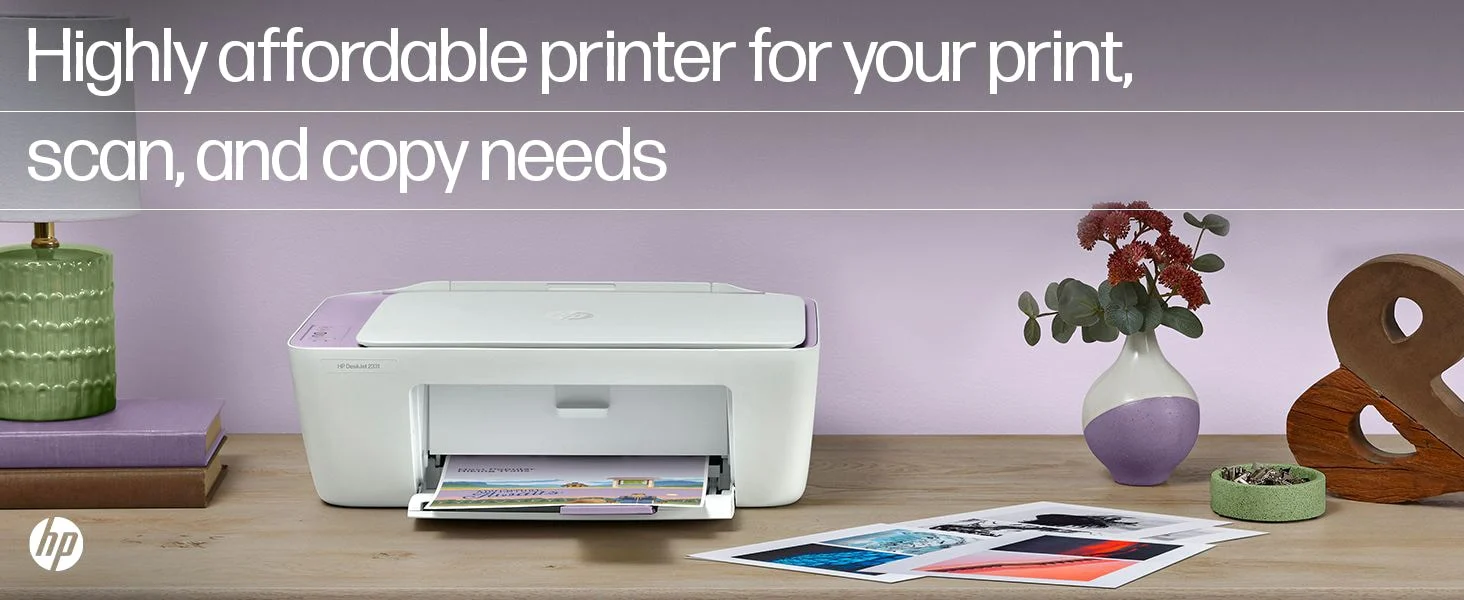
HP DeskJet 2331
Overview
The HP DeskJet 2331 Colour Printer, Scanner and Copier is an entry-level all-in-one inkjet printer built for users who need basic, affordable, and reliable printing. It combines printing, scanning, and copying in a compact device, making it ideal for students, home users, and small households.
It is designed with a plug-and-play approach, meaning you don’t need advanced technical knowledge to start using it. However, it sacrifices modern features like Wi-Fi in favor of simplicity and affordability.
Design and Build Quality:
The HP DeskJet 2331 features a compact and space-saving design, making it perfect for small desks, study tables, or shared workspaces. Its lightweight structure (around 3.4–4.2 kg) makes it easy to move and reposition.
The outer body is made of durable plastic with a matte finish that resists fingerprints and minor scratches. While it doesn’t feel premium, it is sturdy enough for regular home use.
Key design highlights:
-
60-sheet input tray & 25-sheet output tray
-
Minimal control panel with basic buttons
-
No display screen (keeps it simple for beginners)
The design focuses on ease of use rather than aesthetics, which works well for its target audience.
Setup and Installation Experience:
One of the biggest advantages of this printer is its extremely simple setup process.
Steps include:
-
Installing cartridges (black + tri-color)
-
Connecting via USB
-
Installing drivers
The printer uses HP Thermal Inkjet technology and supports quick driver installation. Within minutes, even a beginner can get it up and running.
However, since there is no wireless support, setup is limited to wired connections.
Print Quality:
The HP DeskJet 2331 delivers decent print quality for everyday tasks. It is not built for professional-grade printing, but it performs reliably for normal use.
-
Black resolution: up to 1200 × 1200 dpi
-
Color resolution: up to 4800 × 1200 dpi (optimized)
In real-world usage:
-
Documents look clean and readable
-
Colors are acceptable but not highly vibrant
-
Output remains consistent for small workloads
Text and Document Output:
Text printing is one of its stronger areas. The printer produces:
-
Clear and readable text
-
Decent sharpness for standard fonts
-
Suitable output for daily documents
Best for:
-
School assignments
-
Notes and forms
-
Basic office work
However, compared to laser printers, the blacks are not as deep, and fine text may lose sharpness.
Photo and Color Output:
Color printing is average but usable. The printer can handle:
-
Basic images
-
School projects
-
Simple graphics
Limitations:
-
Colors may appear slightly faded
-
Not suitable for professional photo printing
-
Limited detail in gradients
Good for casual use, not for creative professionals.
Print Speed:
The printer offers:
-
Up to 7.5 pages per minute (black)
-
Up to 5.5 pages per minute (color)
In real usage:
-
Small jobs are fine
-
Bulk printing feels slow
-
Slight delay between pages
It is clearly designed for light workloads only.
Running Costs:
The HP DeskJet 2331 uses a cartridge-based system, which impacts long-term cost.
Key points:
-
Uses 2 cartridges (black + tri-color)
-
Page yield: approx. 120 black / 75 color pages
-
Frequent replacement required
Cost per page is relatively high compared to ink tank printers.
Cost-saving tips:
-
Use draft mode
-
Print in black & white when possible
Connectivity and Software:
This printer supports:
-
USB connectivity only
-
No Wi-Fi, no mobile printing
While this may feel outdated, it ensures:
-
Stable connection
-
Simple usage
HP’s software is:
-
Lightweight
-
Easy to install
-
Beginner-friendly
Paper Handling & Capacity:
-
Input tray: 60 sheets
-
Output tray: 25 sheets
This is sufficient for:
-
Home users
-
Students
Not suitable for:
-
Offices
-
Bulk printing
Maintenance and Reliability:
The printer is reliable for light usage but requires:
-
Regular cartridge replacement
-
Occasional cleaning
Since it’s an inkjet printer:
-
Ink drying can happen if unused for long
-
Best used regularly
Noise & Power Consumption:
-
Operates quietly
-
Suitable for home environments
-
Low power consumption (energy efficient)
Real-World Usage Scenario:
In daily life, the printer performs best for:
-
Students printing assignments
-
Home users printing documents
-
Occasional scanning and copying
It struggles in:
-
Heavy workloads
-
Office environments
Pros:
 Affordable price Compact and lightweight Easy setup and use All-in-one functionality (print, scan, copy)
Cons:
✘ No Wi-Fi or wireless printing
✘ High running cost
✘ Slow for bulk printing
✘ Average color quality
Who Should Buy This Printer?
-
Students
-
Home users
-
Occasional printing needs
-
Budget buyers
Who Should Avoid This Printer?
-
Offices
-
Heavy printing users
-
Users needing wireless printing
Final Verdict:
The HP DeskJet 2331 is a simple, affordable, and beginner-friendly printer that gets the job done for basic tasks. While it lacks modern features and has higher running costs, it remains a solid choice for users who want low upfront cost and easy usability.
If your priority is budget + basic printing, this is a good pick.
If you print frequently, consider an ink tank printer instead.